Hello friends, Today I will tell you a method to use Skype Without Microsoft Account. You can even use Skype without Signup. Users can easily use Skype on their Windows PC/Laptops without signup. I will also tell you a method to signup for Skype without Microsoft Account.
Skype is the most famous and popular Voice and Video calling service which is for everyone who wants to use Skype. Skype is offered by Microsoft. Basically, Skype is an instant messaging service which allows you to chat, text and make a video call, voice call also to send documents like images, videos, etc. to anyone in the world with which would you like.
As Skype is a part of Microsoft Corporation. In an earlier time, Microsoft does not offer anyone to use Skype without signing up. Though, later on, Microsoft modified its policies and now allows everyone to use Skype without signing up. Yes, you heard right. You don’t have to make any registration to use Skype for to use video or voice service.
Read more: How to Delete Skype Chat history from Android Phone, iPhone, Mac and Windows – Easy Method
Skype now supports the system that it allows you to create a Skype account without having any Microsoft account. Yes, you can use any mailing service such as Yahoo mail, Hotmail, Gmail, Rediff Mail, etc. Even, you can also create your Skype account with your phone number also.
Yes, Skype is a part of Microsoft Corporation. Also, Skype is offered by Microsoft Corporation. But, you can sign up for Skype account Microsoft Corporation. Microsoft allows you to sign up for a Skype account without having Microsoft account. Microsoft says that the users can sign up easily to Skype by their existing mailing services like Gmail, Hotmail, Rediff mail and much more.
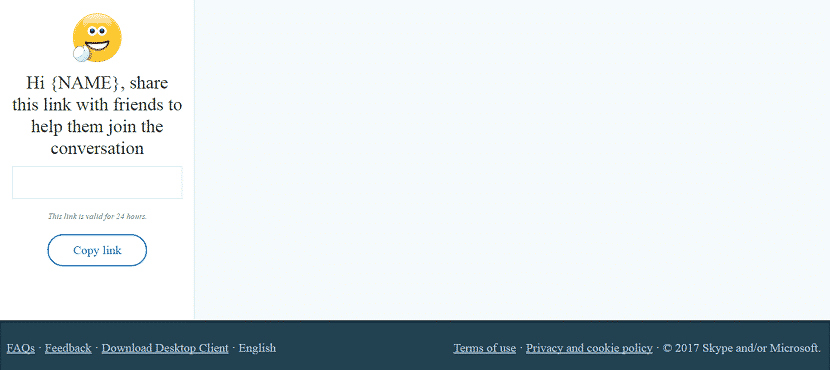
We are now going to see that how we can use Skype without having Microsoft account. Yes, it is possible to use Skype without Microsoft account. Read below given all steps carefully and learn how easy it is to use Skype.
That’s it! Now you can use Skype without Microsoft Account. You can easily create and start a conversation on skype.
Read more: How to Remove your Number From Truecaller List Permanently
We have shared both the method. In the first method, you can even create Skype account without Microsoft Account and In second method you can use Skype Without Microsoft Account. If you have any query regarding this trick. Then, do make a comment below and don’t forget to share this article with your friends.
This post was last modified on January 12, 2018 14:37
Learn how to increase virtual memory in Windows 11, which in turn will improve system…
Learn how to remove OneDrive from File Explorer in Windows 11 with account unlinking, Group…
Learn how to find largest files on Windows 11 with File Explorer, Storage Settings, and…
Learn how to turn off OneDrive on Windows 11 by going to sync settings, unlinking…
Learn how to insert calendar in PowerPoint with templates, tables, or Excel. Present professional and…
Learn how to create templates in Outlook, which in turn will save you time, improve…
This website uses cookies.



View Comments
I didn't work, it still redirect to microsoft.
follow the third and fourth step properly...