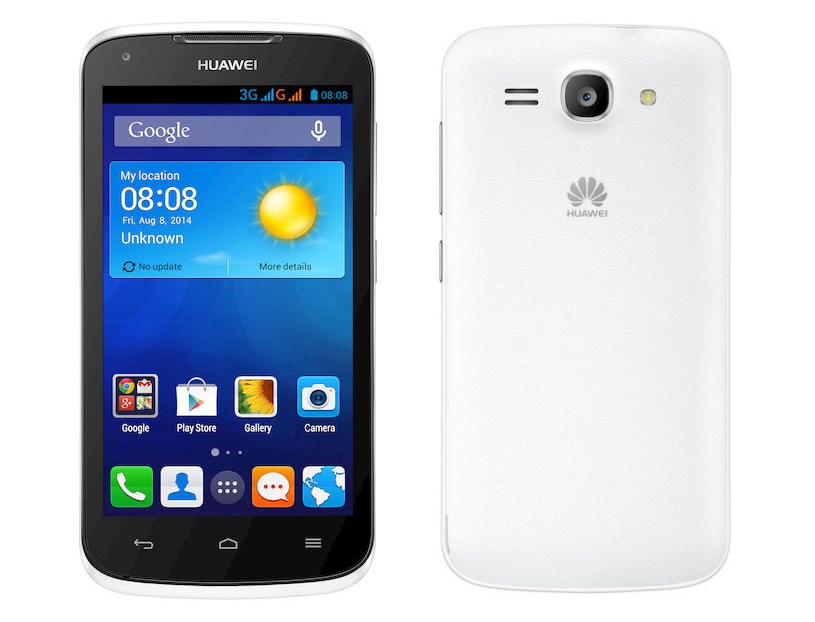
Huawei Ascend Y540 Specifications. Which consist specifications of all important feature of smartphone like display, camera, memory and many more. Earlier Huawei Ascend Y540 was launched in Netherland. And it is expected to launch in India soon. It will cost around Rs. 7,700/- [US- $125]. It is a Budget smartphone which has all important features of smartphone.
It has TFT touchscreen. Huawei Ascend Y540 has 4.5 inch screen. If we compare screen and body. Then 62.1% is screen as compare to body. Huawei Ascend Y540 resolution is 480 x 854 pixels with pixel density of 218 ppi [ ppi – pixel per inch].
Huawei Ascend Y540 has internal memory of 4GB. Which is expandable upto 32 Gb through microSD.
Read this : Intex Aqua Star L is first phone in India with latest android version 5.0 Lollipop
It is available in Black and White color.
I would recommend people who are looking to buy budget a smartphone. Because it has all important features at such a low price. All Huawei Ascend Y540 Specifications above. Prove that it is much better smartphone then all other phone. Which cost too much.
This post was last modified on December 31, 2021 17:58
Learn how to increase virtual memory in Windows 11, which in turn will improve system…
Learn how to remove OneDrive from File Explorer in Windows 11 with account unlinking, Group…
Learn how to find largest files on Windows 11 with File Explorer, Storage Settings, and…
Learn how to turn off OneDrive on Windows 11 by going to sync settings, unlinking…
Learn how to insert calendar in PowerPoint with templates, tables, or Excel. Present professional and…
Learn how to create templates in Outlook, which in turn will save you time, improve…
This website uses cookies.