Categories: FacebookHOMEHOW TO

How to Secure Facebook Account from Hackers – 100% Working

You can secure Facebook account from hackers by following these methods. I have shared several ways to keep your FB safest, so none can hack or know your password.

Facebook, we may keep in touch with family and friends, keep tabs on your favorite celebrities, and keep abreast of current events. It can be more than simply embarrassing when your Facebook account is hacked because many consider it an extension of ourselves. Due to its large number of users, Facebook has amassed enormous information that hackers can exploit for financial gain or extortion. You may also lose your reputation, have sensitive information leaked, or even lose money if your Facebook account has been hacked.

Read more: How to Hide Your Facebook Page Permanently

The hacker can also upload unflattering or discriminatory posts that will enrage the celebrity’s admirers. Therefore, it is important to change your password as soon as you suspect your Facebook account is compromised.

How to Secure Facebook Account from Hackers

There are three methods to secure Facebook account from hackers. They are:

  1. Tips to keep your Facebook secure.
  2. Facebook Security Settings
  3. Use Facebook with caution

Top 6 ways to keep your Facebook Safe

The most secure strategy to protect your Facebook account is choosing a difficult password to guess and simple to remember. However, you can also protect your Facebook account by using the methods listed below.

  1. Avoid using your name, birthdate, dogs’ names, or other commonly used words in your password. The more characters in a password, the more difficult it is to decipher.
  2. Never use your Facebook login information on any site or blog. For example: If you use the same password for the two services, a hacker who gains access to your Instagram account will also be able to access your Facebook account.
  3. Make use of a password management service. If you have any passwords that you would like to secure and store in one place, you can easily find a password manager that can do this.
  4. Every six months, switch your password.
  5. Make sure you don’t give out your login to Facebook to anyone.
  6. Only use computers that you know to be safe. If you have to use a computer that you don’t know or trust, you can request a one-time password from Facebook in some locations.

Read more: How to Turn Off Active Status on Facebook

Use Facebook Security Settings

Learn how to use Facebook security settings by reading the information below.

  1. Activate Login Alerts.
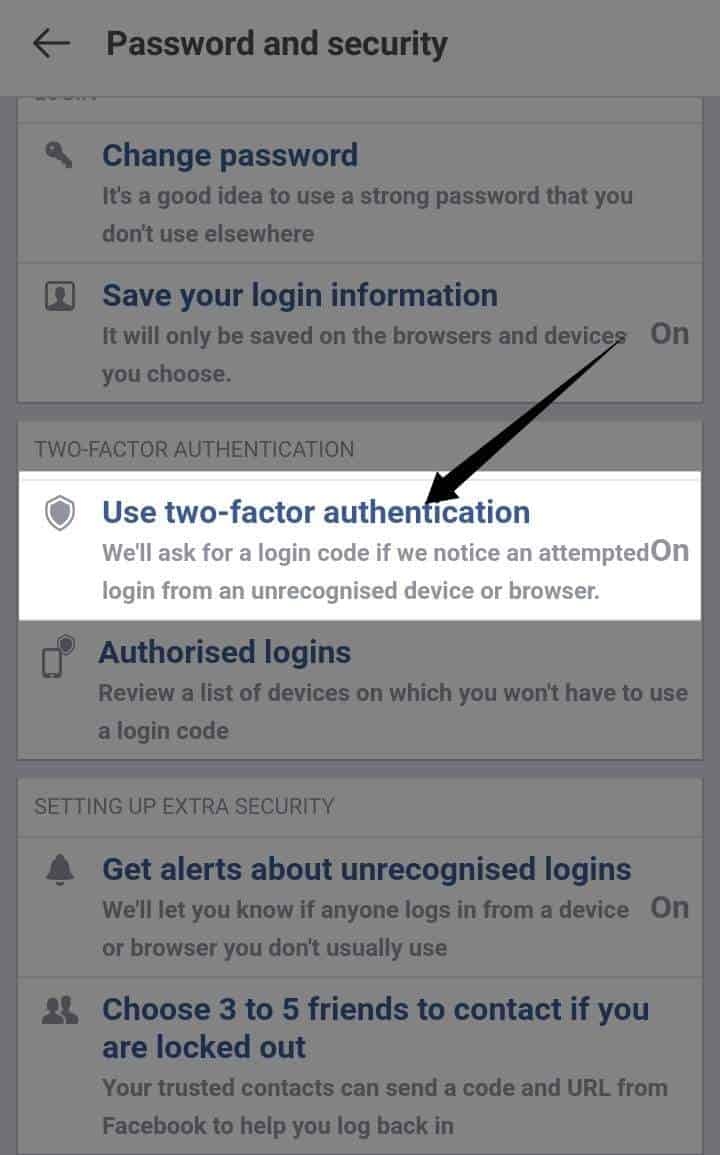
  2. Two-factor authentication should be enabled.
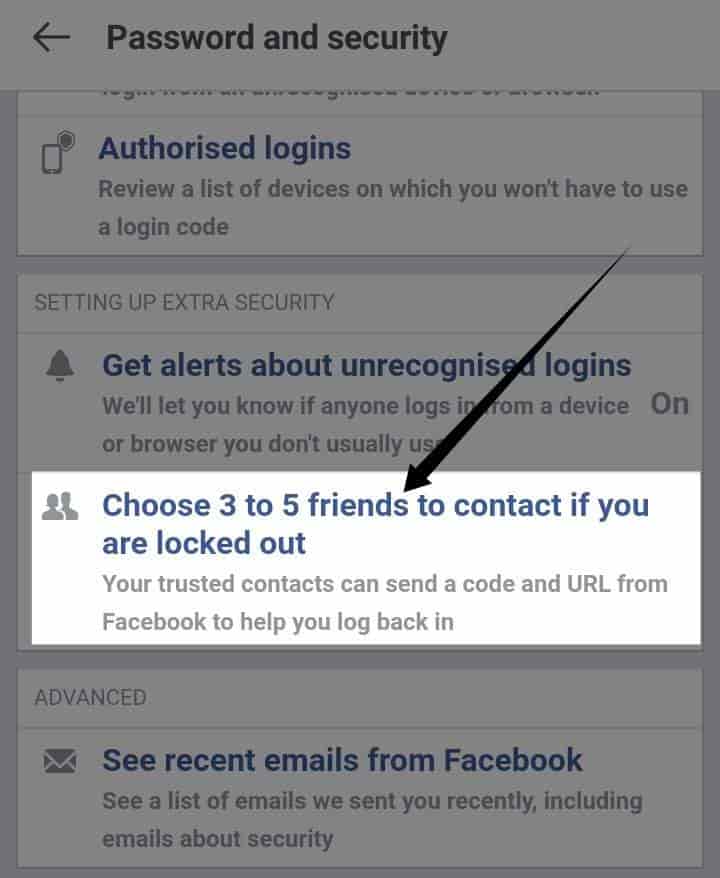
  3. When you lose your account access, choose trusted contacts.
  4. View the location of your logged-in account.
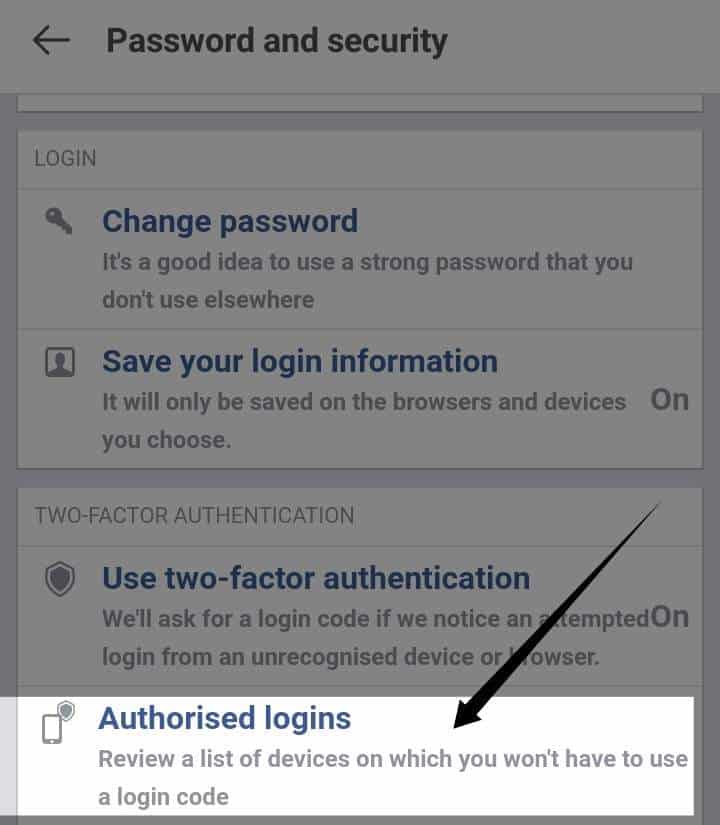
  5. You can see the most recent authorized logins by looking through your inbox.
  6. Encrypt your posts to keep them private.
  7. Encrypt your email notifications to keep your recipients safe.

Read more: What Does ISO Mean On Facebook

Use Facebook with Caution

The information in the following section will teach you how to use Facebook with caution. These are:

  1. Double-check to see that you’re logging into the correct website.
  2. Accepting friends from individuals you don’t know is a bad idea.
  3. Do not click on any suspicious links or “shattering videos” that your friends post on social media, especially if they are from someone you know.
  4. You should keep an eye on your purchases frequently.
  5. If you find anything suspicious, you can file a complaint against someone on Facebook.
  6. People you do not trust can be blocked on Facebook.
  7. Be on the lookout for malware and viruses, and do it often.
  8. Ensure that all software is current.

Read more: How to Reduce Facebook Data Usage on Android

Conclusion

However, no matter how hard Facebook’s developers work, they will never be able to protect the site from the sophisticated attacks of cybercriminals completely.

Therefore, Facebook is not completely safe, thus its users must take responsibility for protecting their information and devices. A virtual private network (VPN) is recommended for this purpose. Furthermore, I hope this information has been helpful to you. Let us know in the comment box below if you have any questions.

Was this article helpful?
YesNo

This post was last modified on February 25, 2022 18:30

Ekaant Puri

I love to write about the latest technology. My work is to write on HowTo, Top 10 and tech solving topics.

Recent Posts

How to Stop Safari From Opening Apps – Complete Details

Learn how to stop Safari from opening apps at will. We have put together some…

5 hours ago

How to Turn on Developer Mode on Chromebook – 5 Easy Steps

Learn how to turn on Developer Mode on Chromebook with step-by-step instructions. Also, we’ll cover…

6 hours ago

How to Transfer Google Photos to External Hard Drive – 2 Easy Methods

Learn how to transfer Google Photos to external hard drive, which is easy with Google…

1 day ago

How to Turn off Flash Notification on iPhone – 5 Easy Steps

Learn how to turn off Flash Notification on iPhone from this easy guide. We will…

1 day ago

How to Create Google Forms for Free – 9 Easy Steps

In this, you will learn how to create Google Forms for free with our step-by-step…

3 days ago

How to Transfer Microsoft Authenticator to New Phone – 3 Easy Steps

Learn how to safely transfer Microsoft Authenticator to new phone using backup and restore. We…

3 days ago

This website uses cookies.