Block websites from your computer. Block all kind of browser hijacker from your PC. Remove all spammy website from your browser at once. Completely block mysites123, Sogou and many more websites. Block website from Windows 7, 8, 8.1 and 10.
Many people think blocking a website is a bit difficult task. But let me tell you that, it is an easy task that requires just a simple coding. No matter, what the reason might be. You can block websites in many ways for example you can block a website on a specific browser, on an OS, or your system router. Let’s see the detailed description of how to accomplish this task on your PC.
You need to set up the block at the OS level in order to gain the access over websites through one machine. Before proceeding forward you need to have administrative access to the system and the username and password for the operating the system.
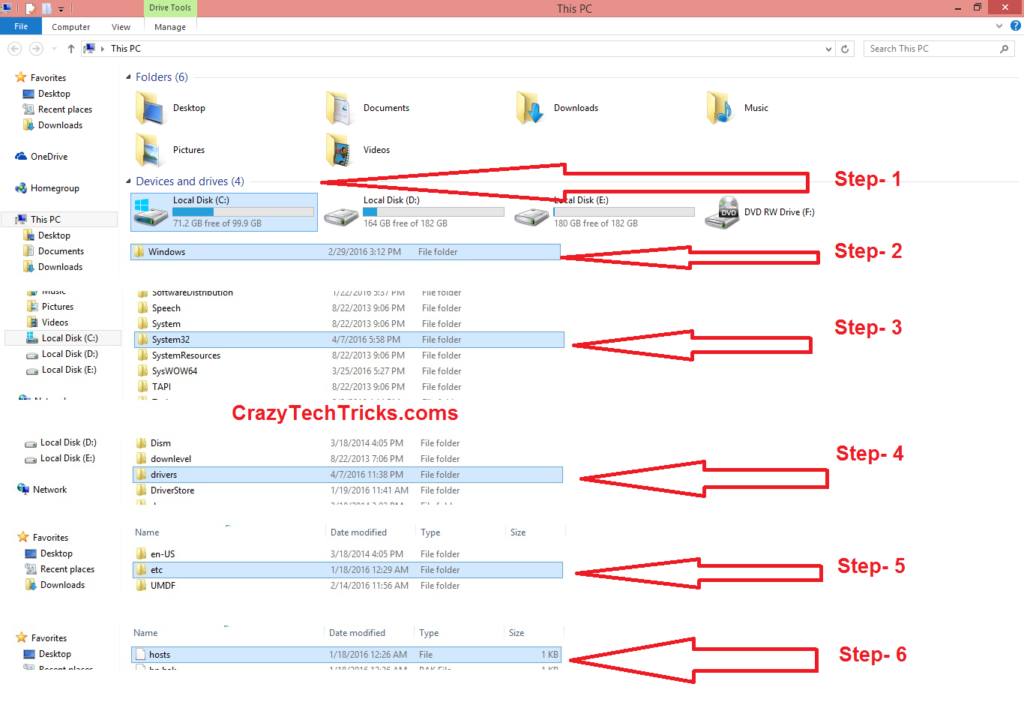
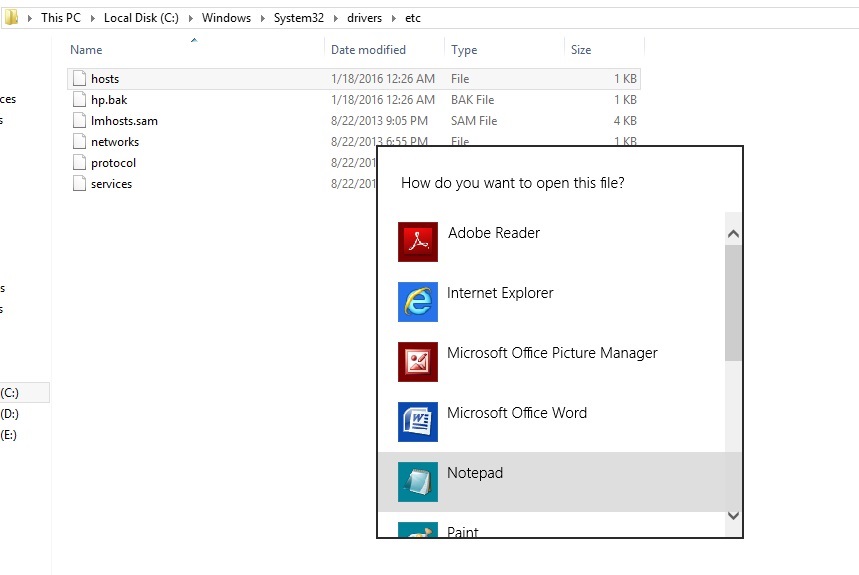
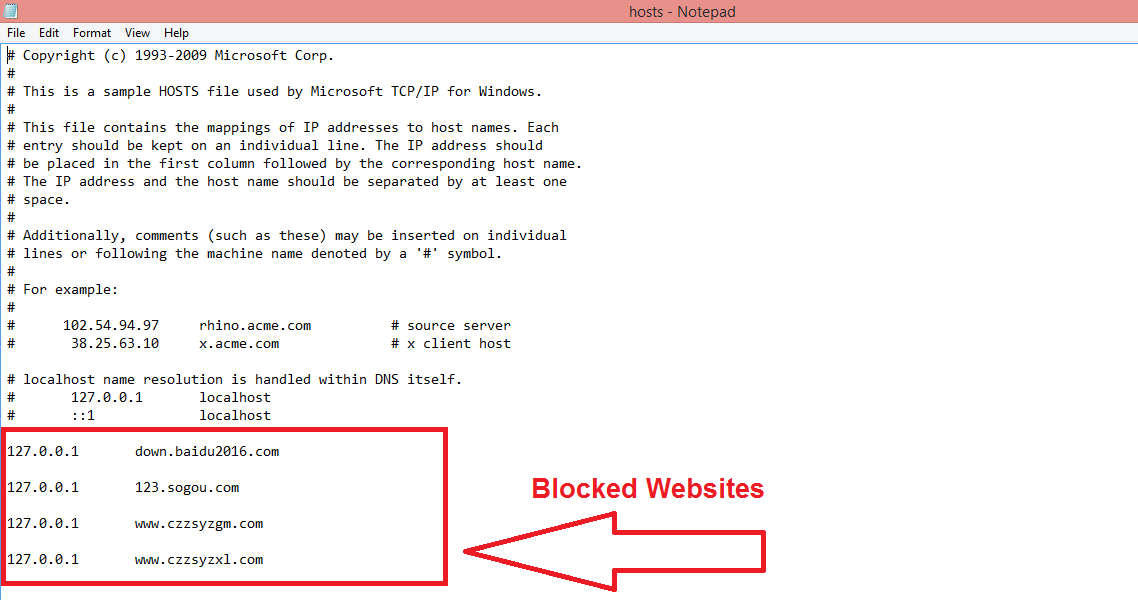
In order to block a website, one needs to edit the ‘Host’ file which helps convert site URL’s into DNS address. This conversion helps you to block access to any website which you feel isn’t safe.
So the whole article guides you towards the method of conversion of this HOST file into DNS address.
You can remove all kind of spammy websites and browser hijacker by using this trick. This trick will help you to block any website and as many websites, you want to block from your PC on any browser. Friend don’t forget to share this article with your friends. So, share this article now and help your friends in blocking websites.
Learn how to increase virtual memory in Windows 11, which in turn will improve system…
Learn how to remove OneDrive from File Explorer in Windows 11 with account unlinking, Group…
Learn how to find largest files on Windows 11 with File Explorer, Storage Settings, and…
Learn how to turn off OneDrive on Windows 11 by going to sync settings, unlinking…
Learn how to insert calendar in PowerPoint with templates, tables, or Excel. Present professional and…
Learn how to create templates in Outlook, which in turn will save you time, improve…
This website uses cookies.