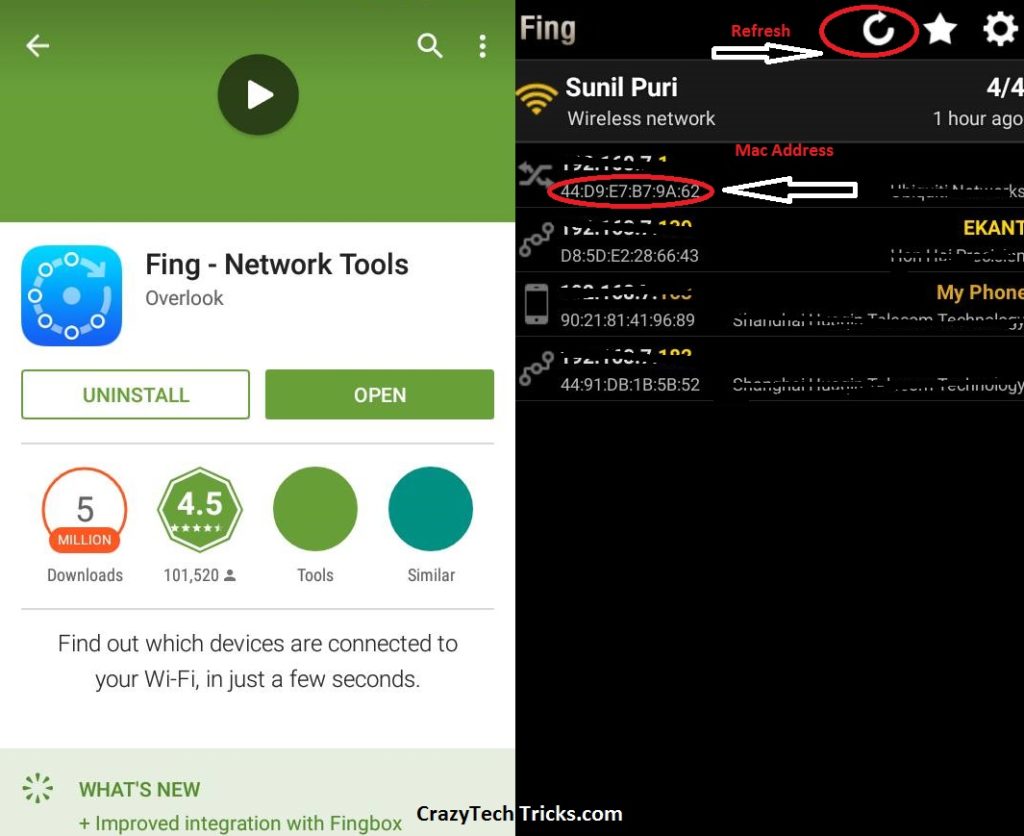
Are you struggling with your WiFi internet speed?. Then, there is a possibility of leakage of you internet data. Do you know currently how many people using your WiFi?. If you don’t know then this article is for you only. Today i will tell you a software which will tell you how many users are using your WiFi and you can even block unwanted WiFi users and secure your WiFi.
Here are few steps to check who is using your WiFi.
Did you found any unwanted connection with your WiFi?. Don’t worry as you can easily block them. There are several people who can easily hack your password or using your open network. Just block suspicious networks from your WiFi.
Congratulations you have blocked all kind of suspicions network, who was using your WiFi.
I would prefer you to avoid all kind of leakage of your WiFi by adding a Alphanumeric password. Try to keep changing your password twice a month. Keep checking your WiFi users with the help of the software listed above. This feature also help you to block your neighbor from using your WiFi.
This post was last modified on March 16, 2018 22:58
Learn how to increase virtual memory in Windows 11, which in turn will improve system…
Learn how to remove OneDrive from File Explorer in Windows 11 with account unlinking, Group…
Learn how to find largest files on Windows 11 with File Explorer, Storage Settings, and…
Learn how to turn off OneDrive on Windows 11 by going to sync settings, unlinking…
Learn how to insert calendar in PowerPoint with templates, tables, or Excel. Present professional and…
Learn how to create templates in Outlook, which in turn will save you time, improve…
This website uses cookies.