
I will share 5 methods to make Chrome your default browser. You can use these methods on Windows and Mac. Users can even select Google Chrome as their primary internet browser and all sites will automatically open in Google Chrome. Google Chrome, one of the most used web browsers worldwide, holds a market share of […]
How to Fix a Disk Read Error Occurred on Windows PC/Laptop – 4 Methods

Hello friends, Today I will share four methods on how to fix a disk read error occurred on Windows PC/Laptops. Users won’t need to restart their computer again and no need to use Ctrl+Alt+Del. These four inbuilt ways will completely fix your disk error. A disk read error occurred when your computer boots up from […]
How to Stop Windows 10 Update in Progress – 2 Methods
Hello friends, Today I will share two methods on how to stop Windows 10 update in progress. Users can use these two inbuilt methods to stop any ongoing Windows update. I have shared a pre-installed app of your Windows PC/laptop. Windows 10 updates are very important to make your PC or laptop secure. Every time […]
How to Flip an Image in Photoshop CS5/CS6 – Rotate at any Angle

I will tell you a method on how to flip an image in Photoshop CS5 and CS6. You can rotate the edited image in Photoshop at any angle. Users can turn any photo from 0 to 360 degrees. I will share a shortcut to switch an image horizontal or vertical. Many of us are using […]
How to Use Samsung Secure Folder – Complete Details

I have shared complete details on how to use Samsung secure folder. Users can secure all their Samsung Android data by using this method. It is the best way to secure all your files, apps or any type of data that is present in your Samsung phone. You won’t need any external app to secure […]
How to Fix LogiLDA.dll Error Permanently – 2 Methods
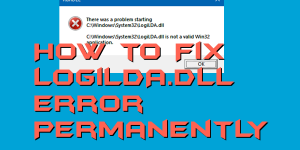
Hello friends, Today I will tell you a method on how to fix LogiLDA.dll error. I have shared two methods to fix LogiLDA.dll error. You can try any method to resolve this error. This method will work on Windows 7, 8, 8.1 and 10. Users can fix errors related to their external hardware like mouse […]